Daily use
Customers
How the cyclist record works, which details you need in order to invoice, how to import customers from your previous software, and what to do with privacy requests.
Customers holds the cyclists who bring their bikes to you: contacts, registered bikes, job history and documents.
It isn't a compulsory first step — quotes and work orders open without a customer too — but it's what gives everything else its value: with no customer attached, a job enters no history, triggers no reminders and can't be invoiced.
You'll find it under CustomersCustomer list. Search by name or email; the list shows phone, the cyclist's plan and how many bikes they have, and clicking a row opens the full record.
The record is global, not shared#
On CrankPal a cyclist has one profile, identified by their email, valid across the whole platform. If your customer is already registered because they use the app or have been to another workshop, you don't create a copy: you ask to be linked to their profile.
This prevents duplicates and keeps contact details current even when the customer changes number. But "global" does not mean "visible to everyone": each workshop only sees the customers who linked it, and the notes you write stay private to your workshop.
The cyclist can revoke the link at any time. When that happens the record shows a No longer linked badge: you keep the documents you already issued, but you no longer see up-to-date contacts, bikes or messages. From there you can invite them to link you again.
Customers can also arrive on their own: whoever books online or signs up from your customer area page (Sign up, under the login) appears in your records already linked, with nothing for you to do.
Creating a customer#
You always start from the email, because the email decides whether you are creating a new profile or asking for access to one that already exists.
Open New customer and type the email
CrankPal checks whether that address already belongs to a CrankPal account. If the customer has no email you can carry on without one: the record will only live inside the app.
If the cyclist is already registered, send an invite
We can't add them automatically. They receive the request by app and email, with a button to open the customer area and accept; once they accept you see their profile and bikes. In the meantime the customer appears in your list with a Waiting for the cyclist badge: the record shows only the email and, if they don't respond, you can resend the request from there. You aren't stuck: how to work with them meanwhile is written just below.
If they're new, fill in the record
First and last name are required. Phone, marketing consent and billing details are optional at this point: you can add the billing details when you actually need them.
Add their bikes
From the customer record, in the Registered bikes panel, with Add: New bike opens, in four steps. The last one, Send to rider, sends them the bike by email: they accept it in the app, check the details and say how they'll ride it. Bikes are only added here, never from the Bikes list. See Bikes and census.
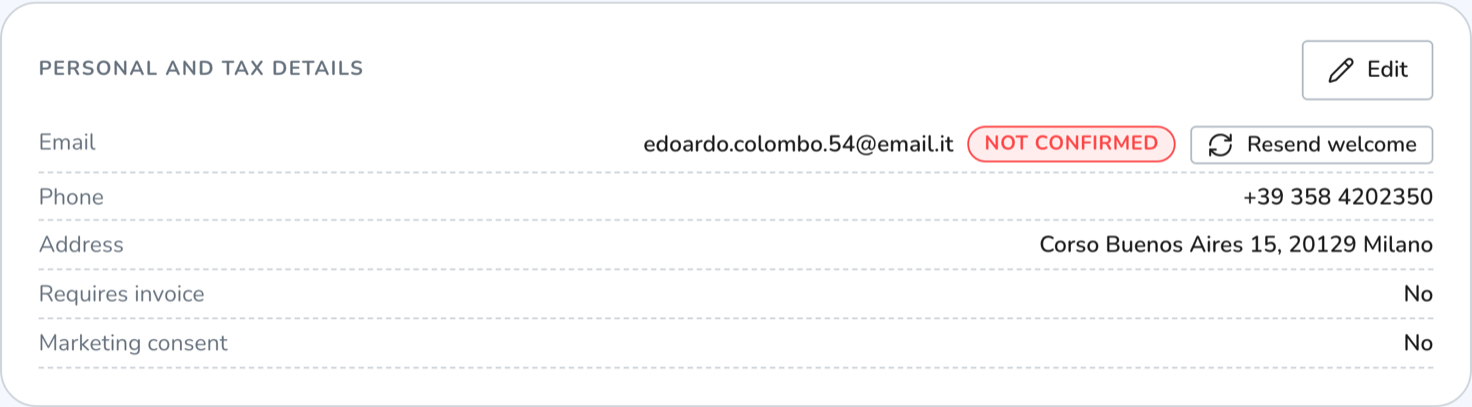
If you enter a new email, the customer gets a welcome message that confirms the address and activates the customer portal. Until they confirm, the record shows Not confirmed next to the email and you can resend the message.
The welcome message goes out after a quarter of an hour. If in those minutes you also send them a bike, they get a single email, the one about the bike, which confirms the address just as the welcome would.
Working with a customer who hasn't accepted yet#
Waiting for the cyclist means that person already has a CrankPal account and only they can authorise the link. The profile is theirs: until they accept the invite you don't see their contacts, bikes or history, and you can't edit them.
You don't have to wait to get on with the job, though. You can prepare a bike for them with New bike: it stays with your workshop, visible only to you, and when they accept it they also accept the connection, in one go. You can already make quotes, work orders and bookings out to a waiting customer: you'll find them in the customer picker, with the Waiting for the cyclist badge. There are two limits. Their bikes aren't visible yet, so on the document you write the bike in as a free label. And they receive nothing beyond the invite: the documents you make out to them only appear in their customer area once they have accepted — a quote that is ready to send stays Waiting for them to accept and goes out on its own as soon as they do.
The details they gave you at the counter go under Provisional details, on their record: phone, address and billing fields. They count straight away for documents and for the invoice — this is what unblocks issuing while the link is pending — but they stay your workshop's data, not their profile: on the record you read them listed with the note from your workshop.
When the cyclist accepts, the fields still empty on their profile are filled in from the provisional ones. Anything they had already filled in is never overwritten: if their phone number differs from yours, theirs wins. From then on the details are edited on the profile, not in the provisional fields.
The details you need to invoice#
The Customer and billing details panel holds the fields an electronic invoice needs: company name, address, postcode, town, province, country, VAT number, tax code, recipient code (SDI) and certified email.
You don't need all of them. A valid invoice needs, as a minimum:
- who it is made out to — a company name, or first and last name for a private individual;
- an identifier — tax code or VAT number;
- address, postcode and town — always;
- the province — if the customer is in Italy.
When you fill the address with assisted search, postcode, town and province fill themselves in from the verified map data.
If you ticked Requires an invoice, the same warning also appears in orange under the customer's details.
If the customer is still Waiting for the cyclist you don't fill these fields on their profile but under Provisional details: for issuing a document they count just the same.
What's on the customer record#
The record has no tabs: it is one page of side-by-side panels, so you have everything in front of you while the customer is on the phone.
- Customer and billing details — contacts, address, marketing consent, billing fields and internal notes (private to your workshop).
- Registered bikes — each bike with its photo, make, model and kilometres, and its dashboard with the warning lights; click to open it. Under the bikes you've sent them you read where the sending stands (see below).
- Booking history and Work orders — what has been through the workshop, with status and total.
- Invoices and receipts — the documents you issued, with their transmission status.
- Counter sales and quotes — only appears if there is at least one.
- How to reach the customer — the channel your updates go out on.
- Messages from the customer — incoming messages from every channel, with a link to the inbox.
At the top you can read how long they have been a customer, how much you have taken from them and how many orders are open.
Bikes you've sent to the customer#
A bike you prepare with New bike stays with your workshop until the customer accepts it. Under the bike you read where it stands:
| What you read | What it means | What you can do |
|---|---|---|
| Not sent yet | You saved it without sending it: the bike still belongs to the workshop | Send to and their name |
| Waiting for and their name | The email has gone and the customer hasn't answered yet | Cancel sending |
| Confirmed by and their name | They accepted it in the app: the bike is in their garage | Nothing |
| Not accepted | They answered Not my bike | Nothing |
| Expired | They didn't answer within 30 days: the bike stays with the workshop | Send again |
| Sending cancelled | You cancelled it: the link in the email no longer works | Send again |
If the customer doesn't answer, they get a single reminder after 7 days, about the bike; no others go out. After Not my bike the bike can't be sent again: it's a person's answer. Once they've accepted, the bike page shows what they confirmed and what they corrected, and the inspection due dates worked out on their riding.
The preferred channel#
Every cyclist has a preferred channel for the updates that come from the workshop: the CrankPal app or email. If they have the app and allowed notifications, the channel sets itself to the app: minor updates land there instead of doubling up in their inbox. Alerts that need an answer — appointment confirmed or cancelled, quote to approve, parts approval — always go out by email as well.
Under the selector it says who decided: Chosen by the customer, Set by the workshop, Set by support, Automatic, or Default when nobody has ever touched it. You can change it from the record; the customer can change it from the app or the customer portal. The last change wins, and the source stays on screen: at a glance you can tell whether the choice was yours or theirs.
If the top of the record shows No longer receiving push notifications — reachable by email, that customer used to have notifications on and no longer does: they turned them off in their phone settings or uninstalled the app. There is nothing to do — everything still reaches them by email — but it's worth knowing before you tell them "I sent you a notification".
If a customer asks how to get the app, the page to send them is Installing the app: while it's in preview it's invitation-only, and your customers go first.
Importing customers from your old software#
If you're coming from another system, don't retype the list by hand. The import accepts an Excel (.xlsx) or CSV file with a header row, or text pasted straight in.
Export and upload
Export the customers from your previous software and upload the file. Comma, semicolon and tab are detected automatically. The old
.xlsformat is not supported: open it and save it again as.xlsxor CSV.Map the columns
You say which column holds first name, last name, email, phone, address, notes and — if you have them — the bike's make, model and type. CrankPal guesses from the headers; you correct it. Only the name is required.
Check the preview
Every row is classified before anything is written: New, CrankPal invite (the email is already an account), Already present, Duplicate (email repeated in the file), Invalid (missing name or malformed email). This is where you catch mistakes while they still cost nothing.
Confirm
At the end you see how many customers were created, how many bikes, how many invites went out and how many rows were skipped.
Duplicates are never created: if an email matches an existing account an invite goes out instead, and the cyclist has to accept before you see their profile and bikes.
Privacy: export and deletion#
The GDPR data button on the record downloads a file with everything your workshop holds on that customer: their details, your private notes, bikes, bookings, work orders, invoices, quotes, messages, maintenance plans and reminders. It is a ready-made answer to a data access request.
Deletion is not done by the workshop. The profile belongs to the cyclist: they can delete it themselves from the customer portal, or ask CrankPal, which verifies their identity. This is deliberate — a workshop cannot erase an identity that is valid across the whole platform.
Common problems#
I created a customer but I can't see their bikes
That email was most likely already on CrankPal, so a link request went out instead of a new record being created: you can tell by the Waiting for the cyclist badge in the list. Until they accept you only see the email; you can resend the request from the record. Meanwhile you can still make quotes, work orders and bookings out to them and save their provisional details, writing the bike in as a free label.
I can't issue the invoice: it says the record is incomplete
Open the customer and fill in the fields listed in the warning. Nine times out of ten it's town, postcode or province — the first things the exchange system checks.
I have two records for the same person
There is no merge. With the correct email a duplicate can't even be created: if you have two, one of them was created without an email. Complete the right one and stop using the other.
The customer says they no longer get notifications in the app
Open their record: if the No longer receiving push notifications warning is at the top, they revoked the permission or uninstalled the app. They have to turn notifications back on in their phone settings. In the meantime everything still reaches them by email.
I sent them a bike and they haven't accepted it yet
On the customer record, under the bike, you read where it stands. They have to accept it in the app, signed in with the same address the email went to: if they use another email, they won't see the bike. If the registration has Expired, send it again with Send again.
The customer changed workshop and now I see nothing
They revoked the link. The documents you already issued stay yours and stay visible; their current data does not. You can invite them to link you again from the button on their record.